Your screening tool is generating alerts and your team is reviewing them. From the outside, the system looks like it’s doing its job.
The problem is the failures you can’t see. The ones that don’t produce an alert. They produce nothing. A name that should have matched but didn’t. A watchlist that stopped updating without an error message. An adverse media filter that’s been quietly clearing articles your analysts should have reviewed. These are the screening failures that only surface when someone deliberately tests for them, or when an examiner asks a question nobody on the team can answer.
We’ve seen enough screening configurations at KYC2020 to know these issues are common. Every one of them passed UAT at implementation. They crept in later through threshold changes, vendor updates, data pipeline shifts, and normal business operations.
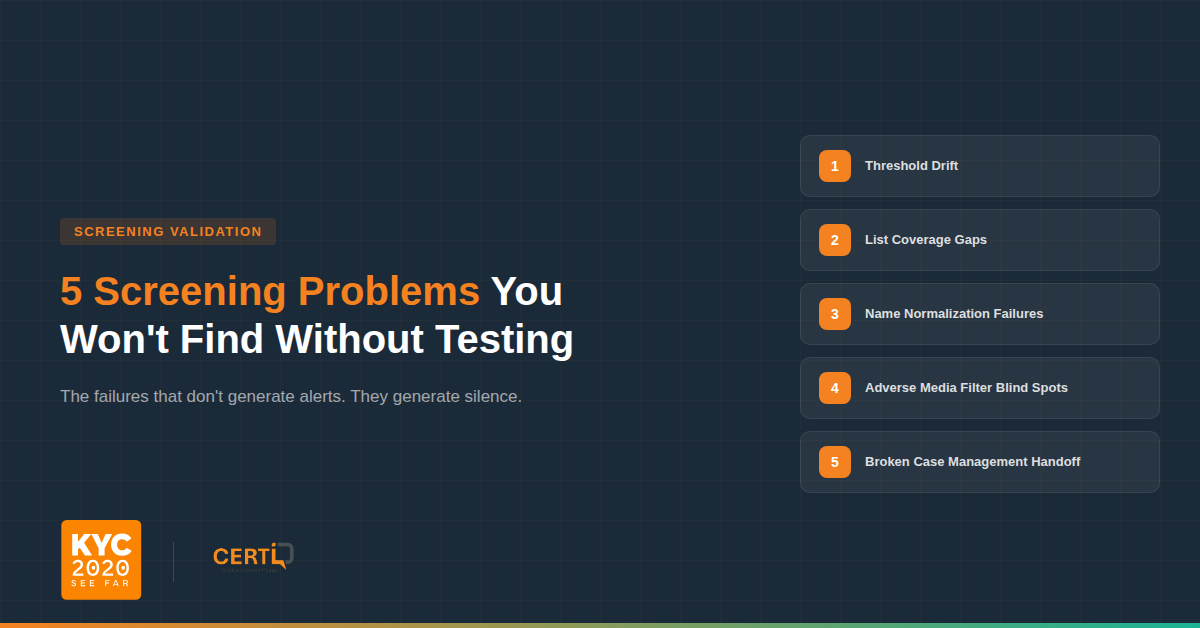
Here are five worth paying attention to.
Your thresholds have drifted. Every screening tool has a match sensitivity threshold that balances detection against alert volume. Over the first few months after go-live, compliance teams or vendors typically adjust this threshold downward to manage false positives. That’s a reasonable decision. But nobody goes back and retests.
The issue is that customer data is messy. Names come in from different source systems in different formats. Some are entered manually by agents. Some are pulled from passports or government IDs. Some arrive via API from a third party onboarding system. A name like “Abd al Khaliq al Houthi” might appear as “Abdul Khaliq Al-Houthi” in one system and “Abd Alkhaliq Alhouthi” in another. At the original threshold, the screening engine caught these variants. At the adjusted threshold, it may not. And nobody tested whether those variants still match after the change.
Meanwhile, the watchlist data itself keeps growing. In 2024 alone, the U.S. Treasury added over 3,100 persons to the SDN List, a 25 percent increase over 2023. Your threshold was calibrated against the watchlist as it existed 18 months ago. It has never been tested against the names it’s now expected to catch. The system is still producing alerts, which is why it looks like everything is fine. What nobody can see without running a test is whether the reduction in alerts came from eliminating real false positives or from silently dropping true matches.
This is exactly the kind of thing CertiQ’s Name Variant Matching Control Test is designed to catch. It generates name variants across multiple categories, including nicknames, typos, name sequence reordering, honorifics, extra characters, middle names, initialized names, and culture-specific transliterations, and screens them against your current configuration to see what gets caught and what falls through. You can set pass/fail criteria based on acceptable false positive and false negative rates for each variant type, so you’re not just running names and eyeballing results.
Your list coverage has gaps. Most compliance teams know they screen against “OFAC” or “sanctions lists.” Fewer can tell you which specific lists are active in their configuration, whether consolidated or subsidiary lists are included, and whether updates are actually applying.
We’ve seen setups where a list feed stopped syncing months earlier. The system kept running, kept producing alerts from the lists that were still working. Nobody noticed because the alert volume looked normal. The engine doesn’t know a list is missing. It screens against whatever it has and reports results as if everything is fine.
CertiQ’s Live SDN Certification Test and Live PEP Certification Test address this directly. They pull current names from live OFAC SDN and PEP sources and run them against your screening configuration. If the system doesn’t return expected matches from a specific list, you know you have a coverage gap, and you know which list it is.
Your name normalization doesn’t handle real world naming conventions. Before a screening engine compares names, it normalizes them: stripping titles, handling diacriticals, reordering components, resolving special characters. This is where silent misses come from.
Arabic names are a common problem. A “last name” might be a tribal identifier, a patronymic, or an honorific, and different engines handle these differently. East Asian names where family and given name order varies between systems, Spanish naming conventions where individuals use both paternal and maternal surnames but appear inconsistently under one or both across systems, hyphenated names, names with particles like von, de, el, or al, and transliterated names where multiple valid spellings exist for the same person all create the same risk. If your original test set at go live was mostly Western format names, which it usually is, these normalization issues were never tested.
The name variant tests in CertiQ are specifically designed for this. They test across variant types that reflect real world data quality issues: nicknames (Michael J Pence vs Mike Pence), typos (Eric Badedge vs Eric Badege), name sequence differences (Guro, Ermias Ghermay vs Ermias Ghermay Guro), culture-specific transliterations (Ab dal Majid Rashid vs Abdul Majid Rashid), and Arabic script to Latin transliteration. The test results show you exactly which variant types your configuration catches and which it misses at your current threshold.
Your adverse media filters are clearing real risk. Adverse media screening produces more noise than sanctions or PEP screening, so most teams configure aggressive filters. Article classification, sentiment scoring, deduplication. These are necessary, but they encode judgment calls that can create blind spots.
Government enforcement actions and court filings are often published in press release format. A team that configured their system to auto-clear press releases may be clearing the exact content they should be reviewing. Sentiment filters create a similar problem. Factual crime reporting, like a wire story about an indictment, uses neutral language that may not trigger negative sentiment scoring. If the configuration only surfaces strong negative sentiment, factual financial crime reporting can fall below the threshold.
CertiQ includes specific test strategies for this: Adverse Media Sentiment Tests and Adverse Media Prime Actor Tests. These validate whether your adverse media configuration is correctly identifying negative sentiment and correctly distinguishing the primary actor in an article from bystanders who are merely mentioned. You can run these tests with the third party adverse media API turned on or off to see how results differ across your screening sources.
Your screening results may not be reaching downstream systems. The screening engine identifies a match, assigns a score, and generates an alert, but that alert still needs to be consumed by a case management platform or internal workflow. If that downstream handoff fails due to an API change, a field mapping issue, or a queue backlog, the alert may never surface to an analyst.
In unified environments like DecisionIQ where screening and case management operate within the same system, this handoff is typically controlled and observable. However, in integrated environments where screening outputs are passed into external case management or internal workflows, this dependency introduces risk, particularly after platform updates or configuration changes. In these cases, the screening system may function correctly, while the downstream system fails to surface the alert. The screening log shows a match, but no case is created.
This type of issue is difficult to detect from within a single system because it sits between components. CertiQ helps isolate the problem by running independent screening tests without impacting production search volumes. If CertiQ produces expected matches that are not visible in your case management system, it indicates a breakdown in the downstream alert pipeline rather than in screening itself.
The common thread. These five issues all produce silence. They don’t generate errors or escalations. They stay hidden until someone deliberately tests for them with current watchlist data, defined pass/fail criteria, and documented results.
CertiQ was built for exactly this. It publishes a full UAT audit report documenting what was tested, what the configuration was, what results were returned, and whether they met the pass/fail thresholds you set. That report is the kind of documentation that holds up in an examination, because it shows not just that your screening tool is deployed, but that you’ve validated it works.
Limited access available with every DecisionIQ subscription. Contact your Account Executive or contact [email protected] for more information.
Sources:
https://www.kyc2020.com/solutions/certiq
https://www.cnas.org/publications/reports/sanctions-by-the-numbers-2024-year-in-review
